Steel fabrication · Spain
4 sheets instead of 6
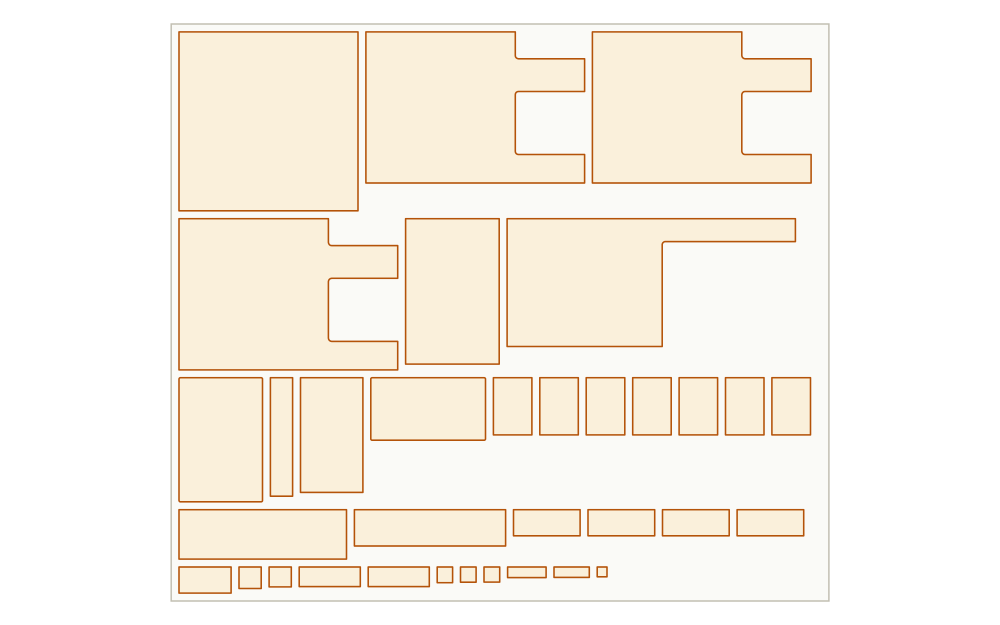
Lapas used 4 plates. The same parts laid out at 65% would take 6.
180 parts, 92% of every plate used, done in 35 seconds.
- Parts
- 180
- Used
- 92%
- Time
- 35 s
2D nesting · Works in your browser
Lapas packs your parts tighter. Upload a DXF, get a cutting layout in under a minute, in your browser. Nothing to install.
2,000+ shops have run 8,519 nests through Lapas. 1032 of them this month. (as of 16 Sep 2026)
Free plan includes the full nesting engine, unlimited nesting and re-nests, 5 project exports a month. No credit card, no install.
Coming from Deepnest? See how Lapas compares →
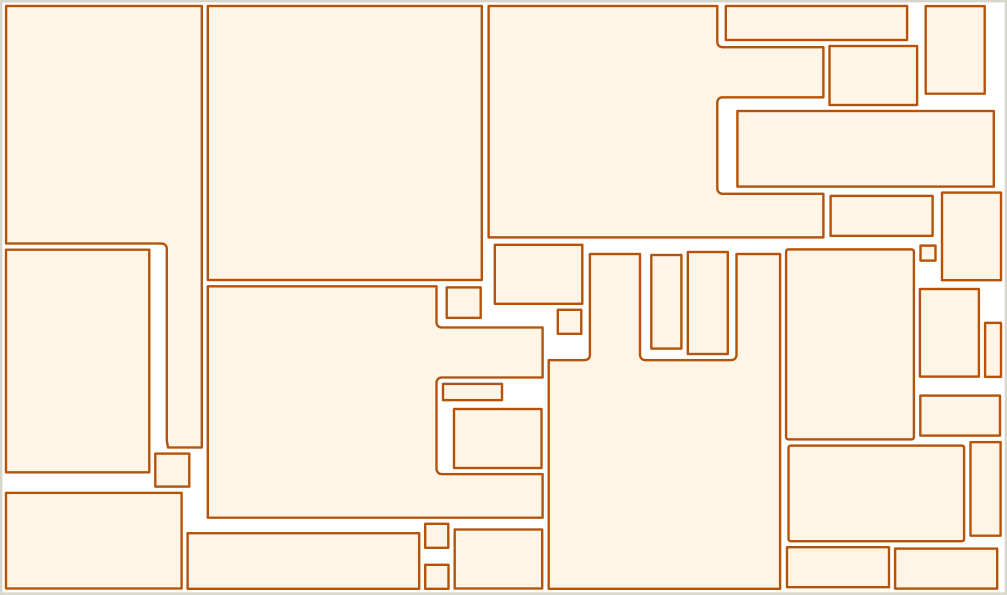
Real jobs, real numbers
Utilization is the share of the plate that leaves as parts. The rest is offcut.
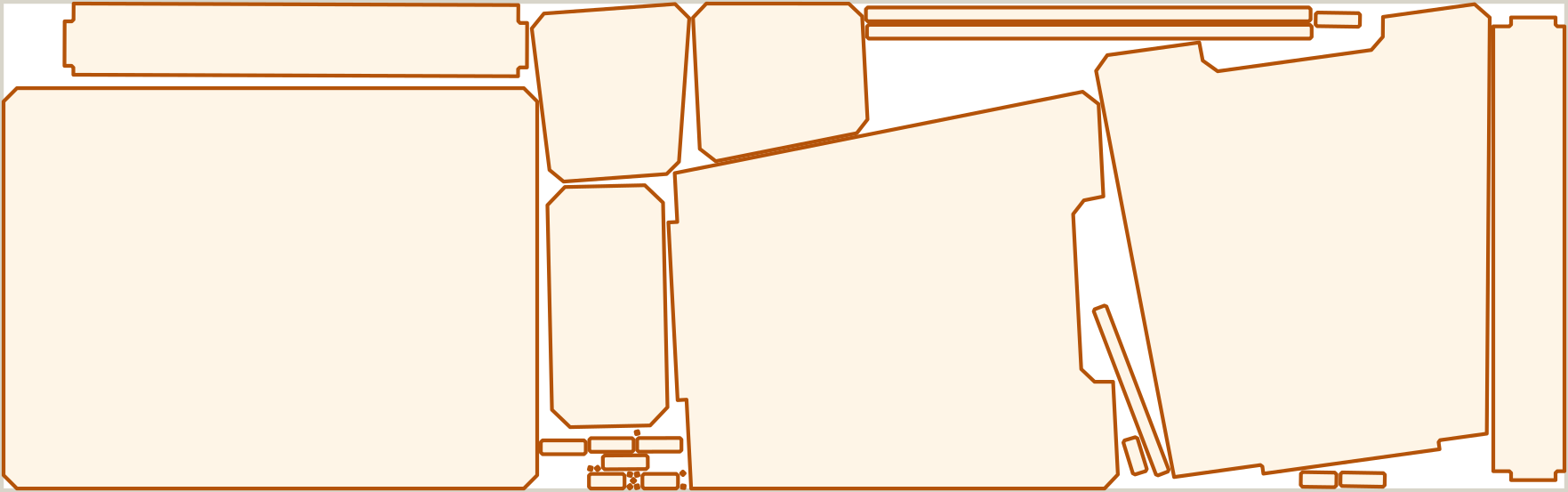
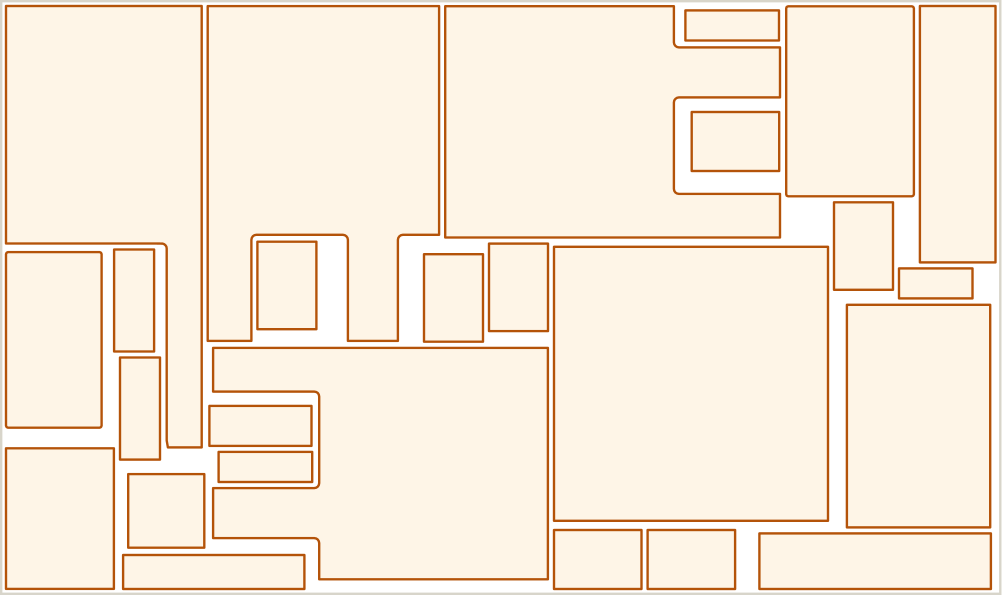
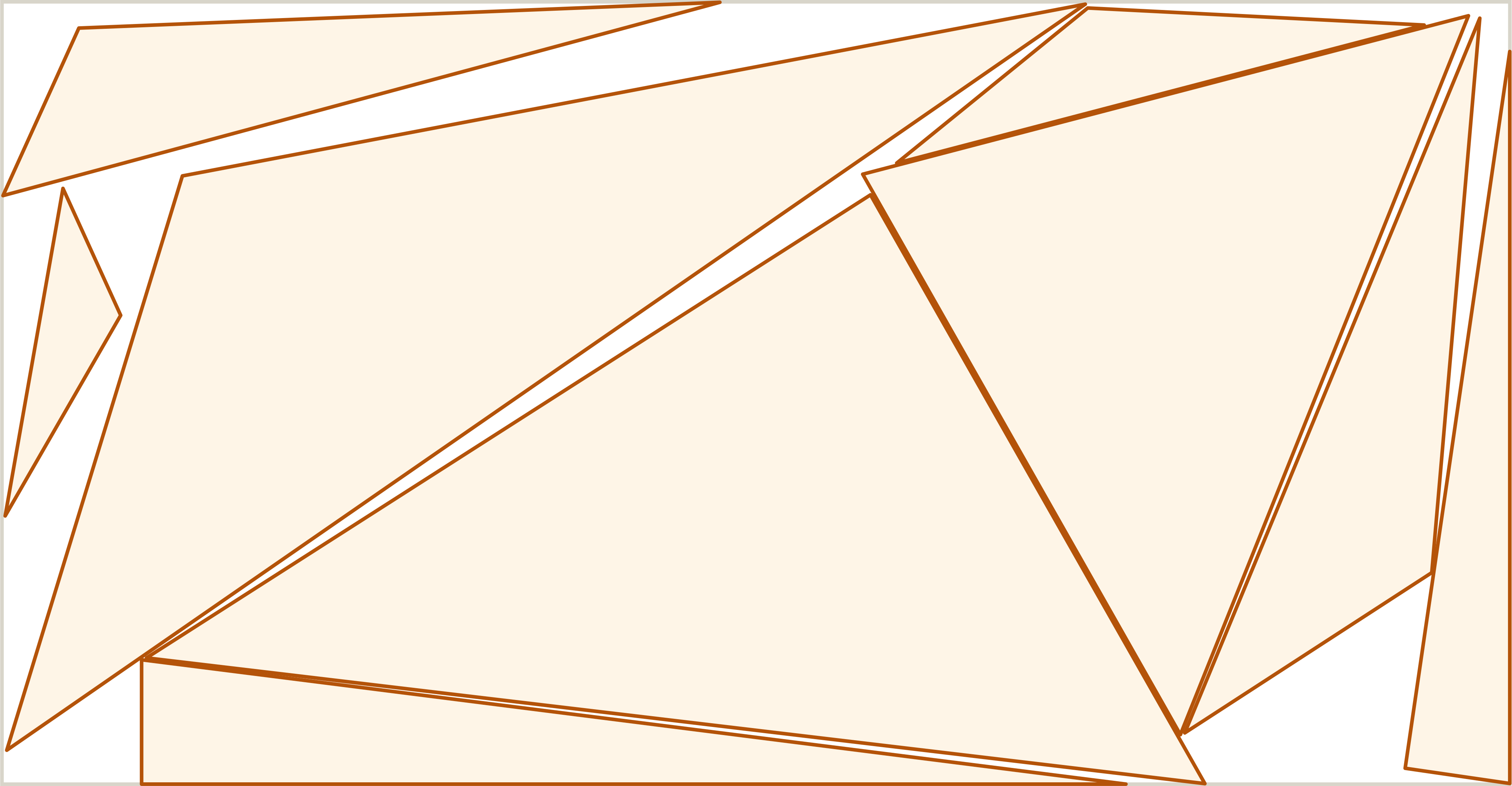
Independently benchmarked
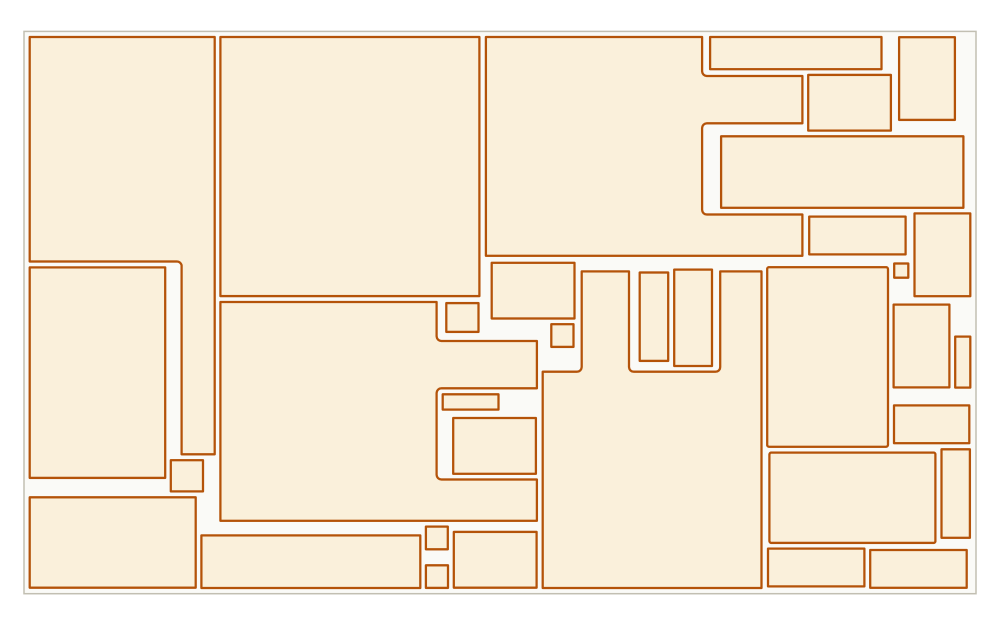
We ran Lapas Core v1.1 head to head against Deepnest on 37 nesting cases: same parts, same plates, same time budgets, then scored every result with an independent program that reads the output geometry. On the standard density tests Lapas left 13.9% of the plate as offcut against Deepnest's 26.7%, and on real jobs it fits the same parts on fewer plates. Fewer plates means lower material spend on every run.
Read the full benchmark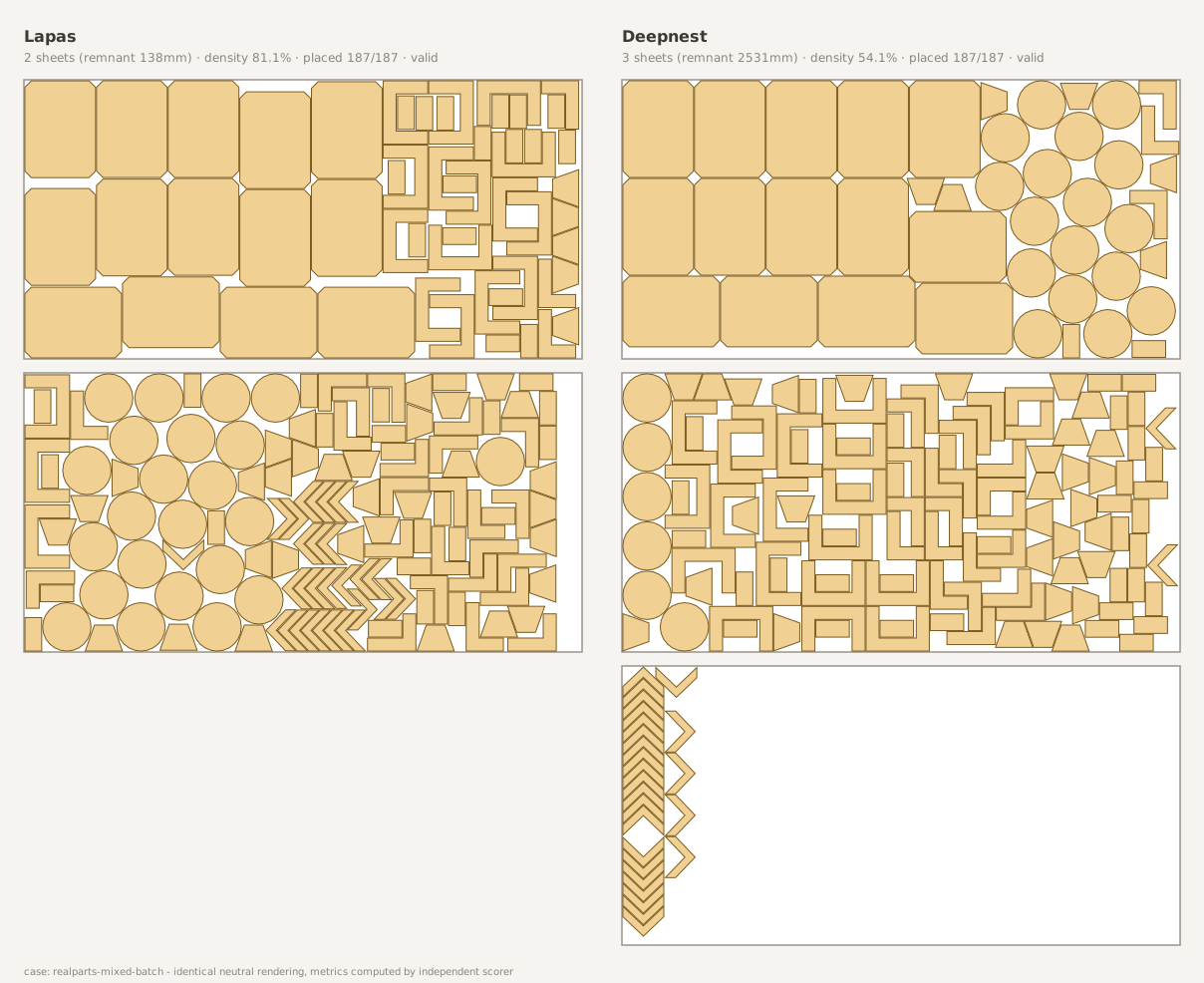
Same 187-part job: Lapas fits 2 plates (left); Deepnest needs 3 (right).
How it works
If you can upload a file, you can use Lapas.
Drop in your DXF, DWG, SVG, PDF, Illustrator or LightBurn file. Set how many of each part you need.
AutoCAD, SolidWorks, Fusion 360, FreeCAD: all supported.
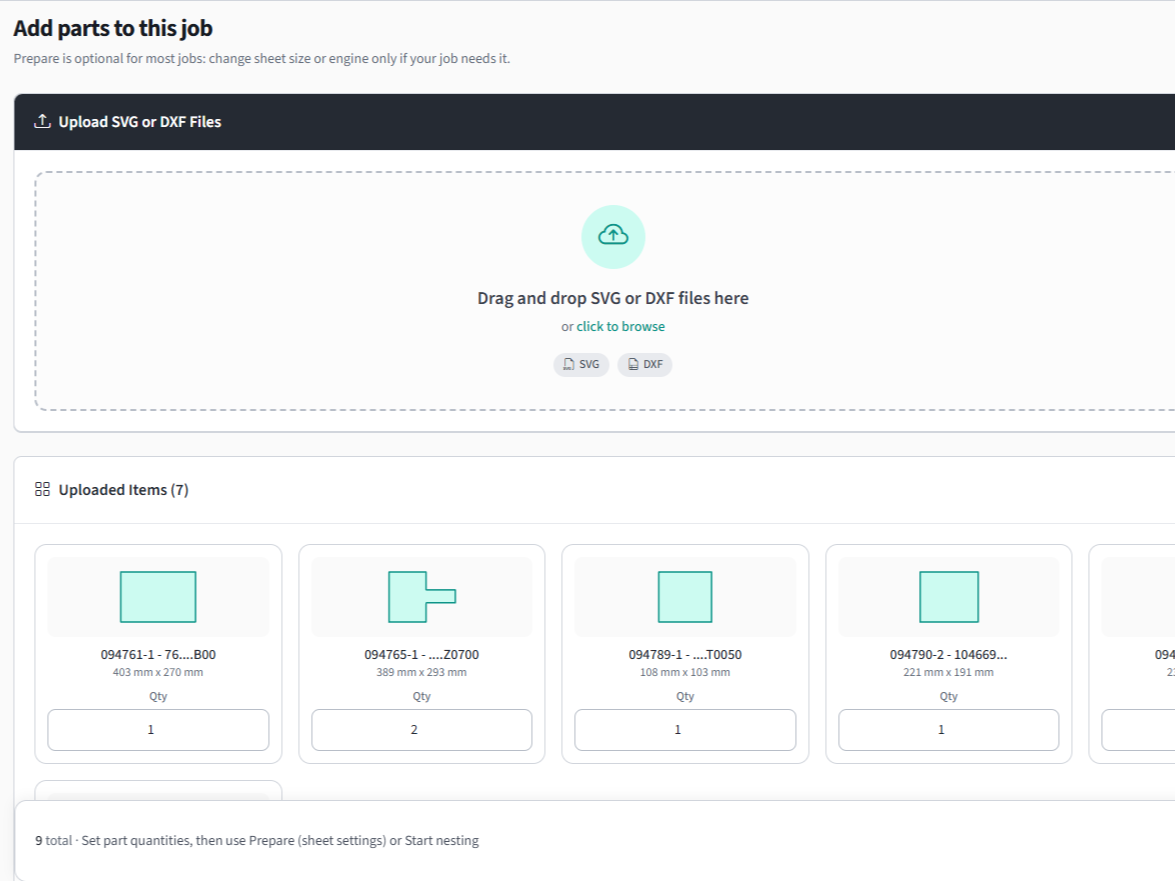
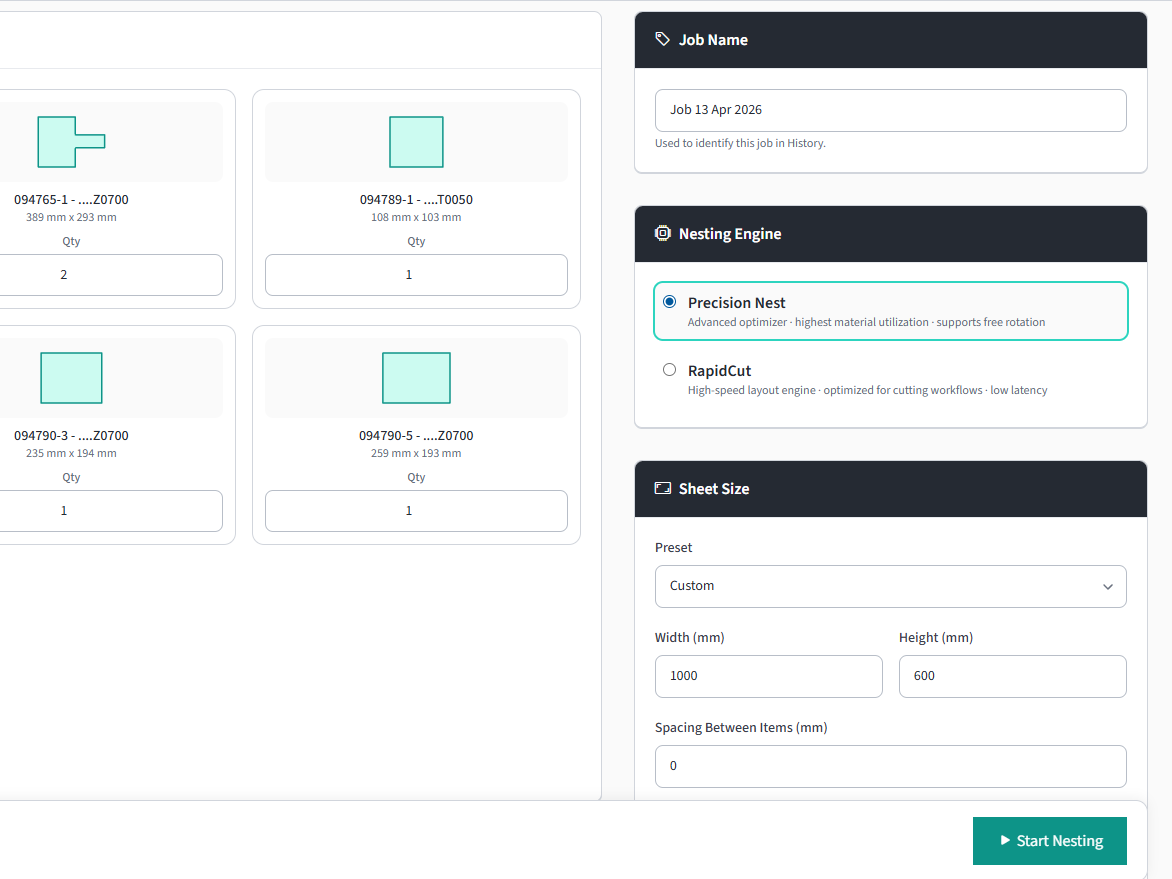
Enter sheet dimensions, part spacing, and how long the optimizer may search.
Multiple sheets, rotation rules, and grain direction supported.
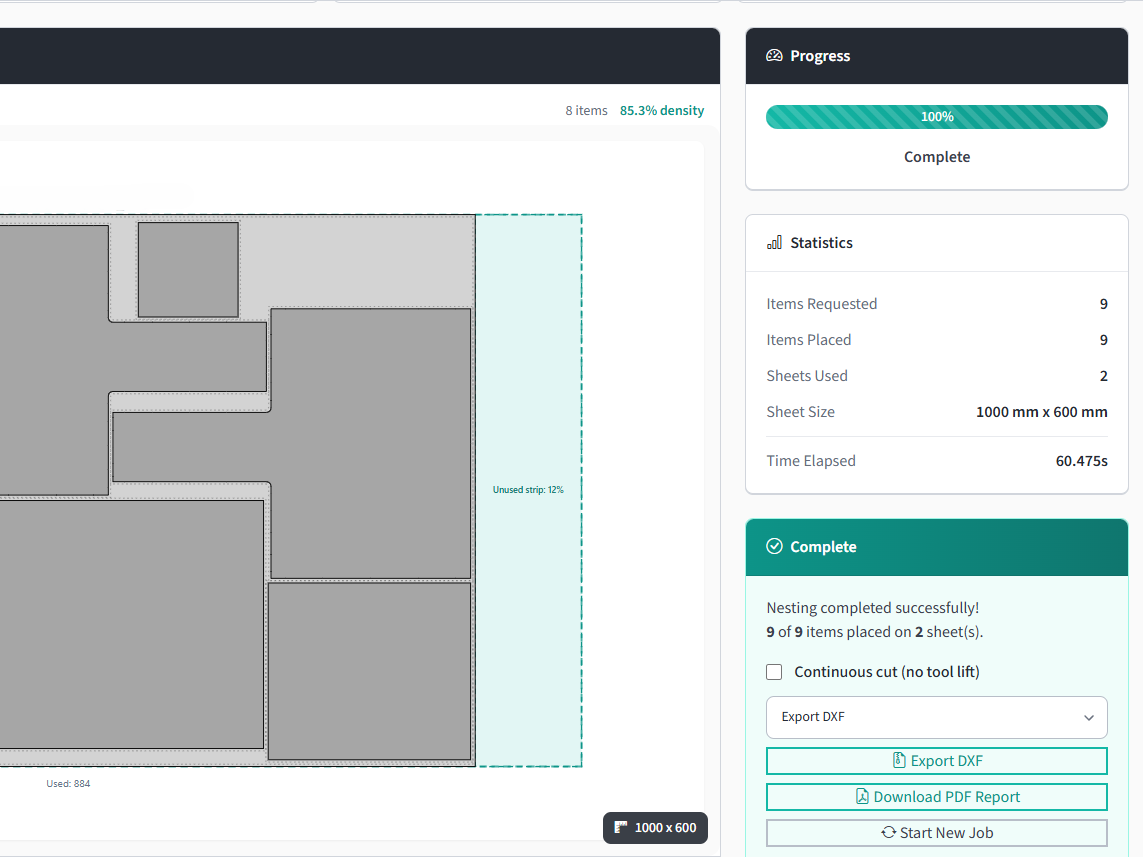
Download DXF or PDF report. Ready for the machine or your customer.
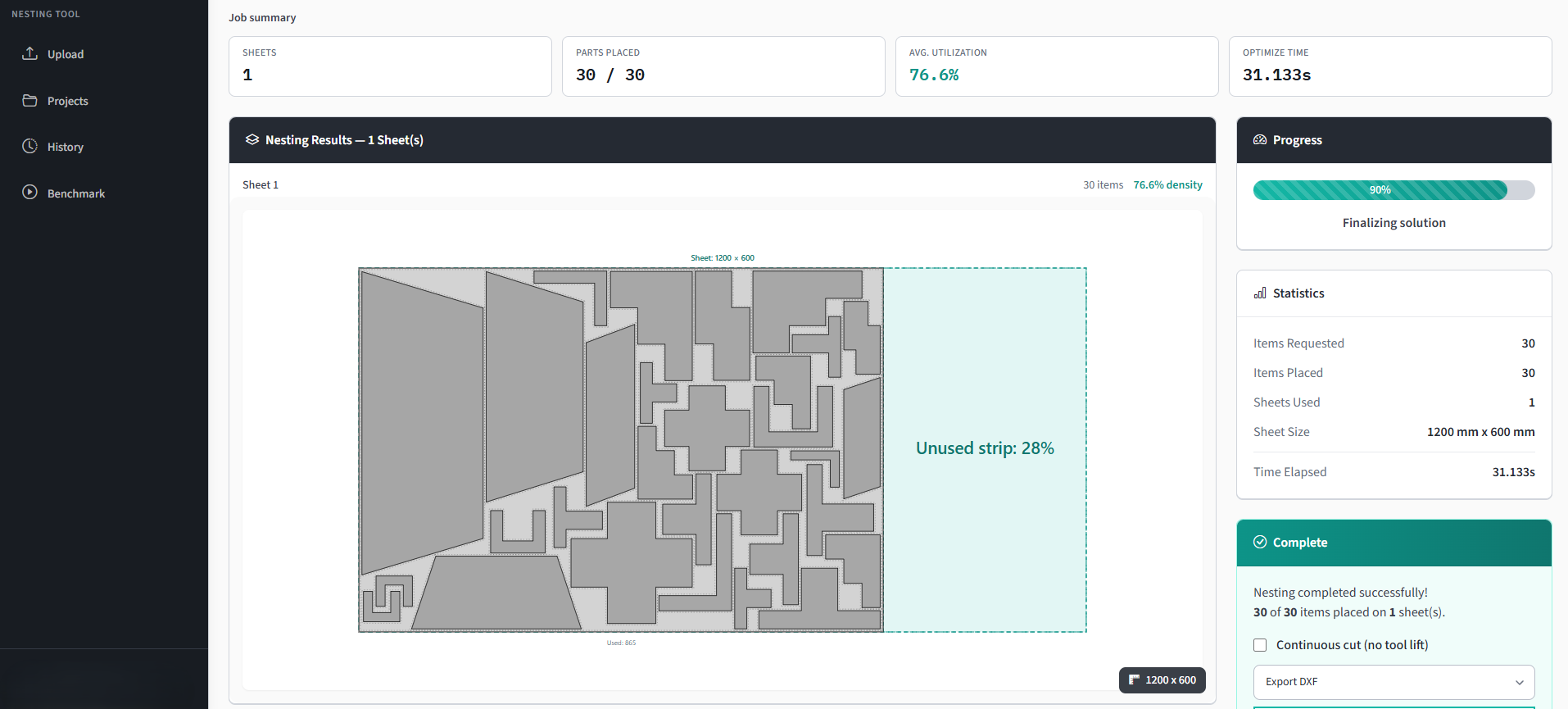
See sheets needed, utilization %, and part placement.
Lapas doesn't replace your CAM. It hands back a nested DXF. Lead-ins, kerf compensation, and cut sequencing stay in the tools you use today. If your machine reads DXF, it works with Lapas.
See it in action
Open the demo page for a step-by-step breakdown of this job.
The problem
of every sheet goes in the scrap bin. At $4k/month in steel, that's up to $1,200 thrown away.
your best operator spends laying out parts by hand instead of running the machine.
is what the enterprise platforms tell you. SigmaNEST publishes no price list, so the cost arrives after a demo.
ROI calculator
Move the sliders. See what you could save each month.
A real job at your volume
Steel fabrication, Spain put 180 parts on 4 plates instead of 6, using 92% of every plate, in 35 seconds.
Assumes optimized utilization reaches 85%, in line with the customer jobs shown above and in the panel. Actual savings depend on part complexity, material type, and operator method.
Shops using Lapas
Four real jobs, run by Lapas customers on their own parts. Every number below came off the job itself.
Steel fabrication · Spain
Lapas used 4 plates. The same parts laid out at 65% would take 6.
180 parts, 92% of every plate used, done in 35 seconds.
Design engineering
Lapas used 18 plates. The same parts laid out at 65% would take 22.
295 parts across 18 plates instead of 22, in under three minutes.
Sheet metal · Argentina
Lapas used 4 plates. The same parts laid out at 65% would take 5.
A full production run nested in under three minutes.
Toolmaking · United States
The kind of batch that takes an operator most of a morning by hand.
Plate comparisons are arithmetic, not a measurement: the same total part area laid out at an assumed 65% utilization for a hand layout. Your own result depends on your parts and on how you nest today.
Nest your own file for freeWhat shops tell us
Straight from the feedback form inside the app. Unedited, spelling and all.
Figures as of 16 Sep 2026
“Fantastic result compared to my old deepnest.io ...”
“This is a great solution for nesting.”
“Very helpful in my work.”
“I just did my first nest in Lapas and it works great!”
“Great. Love the work you're doing, thank you!”
“This is amazing. I love the option to keep my layer names.”
“This has been the most useful software so far; thank you for it.”
“Thank you for the update. This is awesome.”
“i like the way it nest the parts.”
“Not a bad project.”
80 parts on 2 plates
58 parts on 1 plate
50 parts on 1 plate
122 parts on 4 plates
30 parts on 2 plates
16 parts on 1 plate
100 parts on 4 plates
33 parts on 1 plate
22 parts on 1 plate
17 parts on 1 plate
4 parts on 1 plate
153 parts on 1 plate
11 parts on 1 plate
52 parts on 1 plate
152 parts on 2 plates
94 parts on 1 plate
7 parts on 1 plate
137 parts on 3 plates
132 parts on 5 plates
12 parts on 1 plate
240 parts on 19 plates
36 parts on 1 plate
11 parts on 1 plate
59 parts on 4 plates
12 parts on 1 plate
54 parts on 6 plates
27 parts on 1 plate
9 parts on 1 plate
5 parts on 1 plate
49 parts on 9 plates
306 parts on 2 plates
30 parts on 1 plate
1411 parts on 4 plates
30 parts on 3 plates
490 parts on 1 plate
4 parts on 2 plates
17 parts on 2 plates
147 parts on 9 plates
93 parts on 1 plate
24 parts on 1 plate
14 parts on 1 plate
6 parts on 2 plates
180 parts on 4 plates
80 parts on 3 plates
18 parts on 1 plate
55 parts on 2 plates
38 parts on 2 plates
13 parts on 1 plate
20 parts on 1 plate
115 parts on 2 plates
11 parts on 1 plate
8 parts on 1 plate
8 parts on 2 plates
30 parts on 3 plates
1 part on 1 plate
263 parts on 5 plates
80 parts on 2 plates
27 parts on 2 plates
30 parts on 1 plate
18 parts on 1 plate
25 parts on 1 plate
16 parts on 1 plate
295 parts on 18 plates
295 parts on 18 plates
250 parts on 18 plates
320 parts on 4 plates
15 parts on 2 plates
6 parts on 1 plate
6 parts on 1 plate
54 parts on 3 plates
425 parts on 3 plates
24 parts on 1 plate
40 parts on 1 plate
20 parts on 1 plate
66 parts on 1 plate
60 parts on 1 plate
133 parts on 1 plate
800 parts on 1 plate
5 parts on 1 plate
34 parts on 1 plate
6 parts on 1 plate
24 parts on 2 plates
Features
Not a bloated CAM suite. Just a nesting engine that works.
Parts pack by their real shape, not bounding boxes. Curves, arcs, and irregular shapes fit tight.
Keep the leftover from every job in its real shape, L-shapes included. The next job suggests the offcuts that fit and nests onto their true outline.
How it works →Watch parts drop onto the sheet in real time. See utilization climb as it runs.
Drag or rotate any part to clear a clamp or a flaw in the plate. The export matches what you moved.
From AutoCAD, SolidWorks, Fusion 360, FreeCAD, Illustrator or LightBurn - upload and nest in one step.
Arcs and circles from your drawing stay true arcs, and your layer names carry through. Plus a PDF job report with sheet drawings, utilization and cost estimates.
No download. No IT. Any desktop browser on Windows, Mac or Linux.
From the founder
"I build nesting algorithms for a living, and I kept hearing the same thing from small shops: the good nesting software costs more than the laser's monthly payment, and the free tools ask you to install a desktop app and work the rest out yourself. Lapas is my answer - a serious nesting engine at a price a three-person shop can justify. Try it on your own files and email me what's missing. I read every message."
How Lapas gets better
FAQ
Short answers to the things people ask most.
Nesting is free and unlimited - upload your DXF and see the full layout, no part cap, no credit card. The free plan includes 5 project exports a month (any format); re-exporting a project you already exported is free for a week. Pro removes the export cap - $49/month, or $39/month billed annually.
Only taking files out: downloading a project as DXF, SVG, G-code, PLT, or the PDF report. Nesting, re-nesting, changing spacing, swapping sheet sizes, and viewing the full layout never use one. Exporting a project uses one export, and re-exporting that same project is free for 7 days afterwards.
From the Subscription page in your account: it links to the billing portal, where you cancel in a couple of clicks. No email, no call, no reason needed. Pro stays on until the end of the period you have already paid for, then the account drops to the free plan and keeps your projects. Cancel before day 7 of the trial and you are never charged.
Unless you cancel before day 7, the trial converts to the paid term you picked and the card on file is charged on that day: $49 for monthly or $468 for annual, plus VAT where applicable. We email a receipt for every charge. Cancel before day 7 and there is no charge at all.
We do not refund partly used billing periods, except where the law requires it. If you are a consumer in the EU or EEA you have a 14-day right of withdrawal on a new subscription; because Pro starts the moment you subscribe, the checkout asks you to tick a box acknowledging that the right ends once you use the service within those 14 days. If something on our side genuinely failed, write to hello@lapas.io and we will sort it out.
Between your CAD and your CAM. You export flat parts as DXF from CAD, Lapas arranges them on the sheet, and you take the nested DXF into your existing CAM software - which still handles lead-ins, kerf compensation, and cut sequencing exactly as it does today. Nothing about your machine setup changes.
They stay yours. Files are transferred over encrypted HTTPS, processed to compute the layout, and never shared with anyone or used for anything else. You can delete your files and your account at any time.
Almost certainly. Lapas reads DXF files from AutoCAD, SolidWorks, Fusion 360, FreeCAD and the other standard CAD tools: LWPOLYLINE, LINE, ARC, CIRCLE, ELLIPSE and SPLINE, and block references (INSERT) are expanded for you, so there is no need to explode them first. It also imports DWG, SVG, vector PDF, Adobe Illustrator and LightBurn files.
No. Lapas runs in your browser. No download, no IT. Works in any desktop browser on Windows, Mac or Linux.
Most shops see 15–30% better utilization vs. manual nesting. Typical results vary by job type and current method. Try the ROI calculator above to estimate your savings - or better, run one of your own jobs through the free plan and compare.
Compatible with most CNC cutters: fiber/CO₂/diode lasers, plasma, waterjet, CNC routers, knife cutters. Export your nested layout as DXF - compatible with virtually all CAM software and controllers.
Yes, on every plan. Lapas keeps your plate stock by material, thickness and size, with cost, location, SKU, supplier and heat number. Consuming a finished job takes its sheets out of stock and keeps the leftover in its real shape, L-shapes included, with a rack code to write on the metal. The next job suggests the remnants that fit, and Lapas nests onto their true outline. Nothing is written into an ERP.
Deepnest is a free, open-source desktop tool, and it is still going: the original stopped at v1.0.5 in 2021 but the deepnest-next community fork shipped v1.5.6 in May 2025, and that fork is what our published benchmark runs against. Lapas is browser-based on any OS, handles DXF natively, has live preview, and exports DXF and a PDF report. Deepnest is free and runs offline, which Lapas does not.
Still have questions? Email us - we reply fast.
Upload one of your own DXF files and see the layout yourself. It's free and takes about two minutes.
On a phone? Book a 20-minute call and we nest your file with you on a screen share.
No credit card · No install · Your files stay yours
Free · 20 minutes · No commitment
See it on your own parts Free 20-minute screen share · Contact
Book a call